Rebuilding My Dream Home Lab
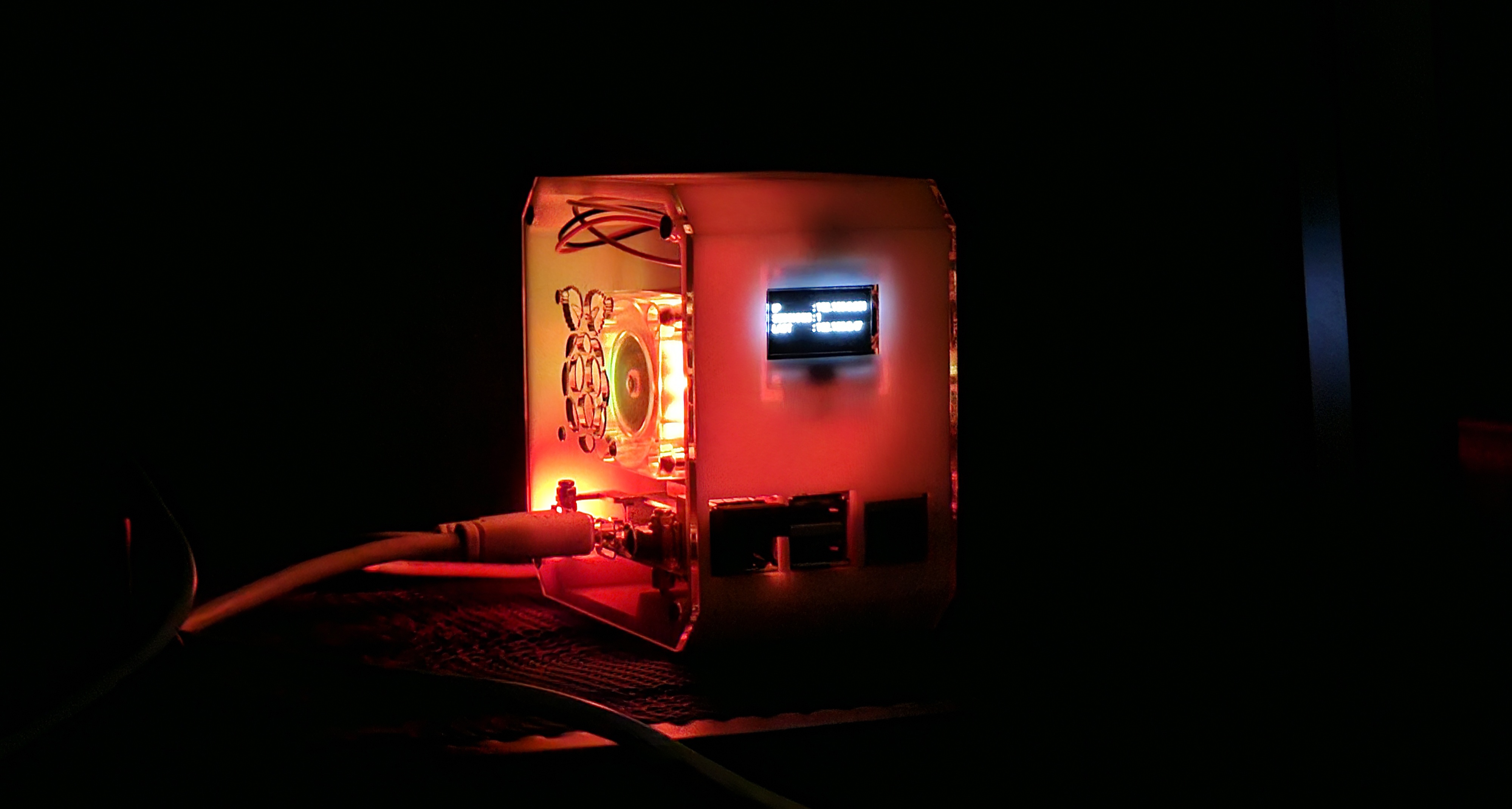
I rebuilt my home lab a few months ago and have been trying to optimise it based on my daily usecase. It runs on a Rasberry Pi 4 (8GB) model. The first thing I considered was to run as many services as possible in docker, so that it is scalable and portable, especially if I choose to build a cluster in the future. I began by running a compose to monitor my server load using Grafana, made by Oijkn on GitHub.
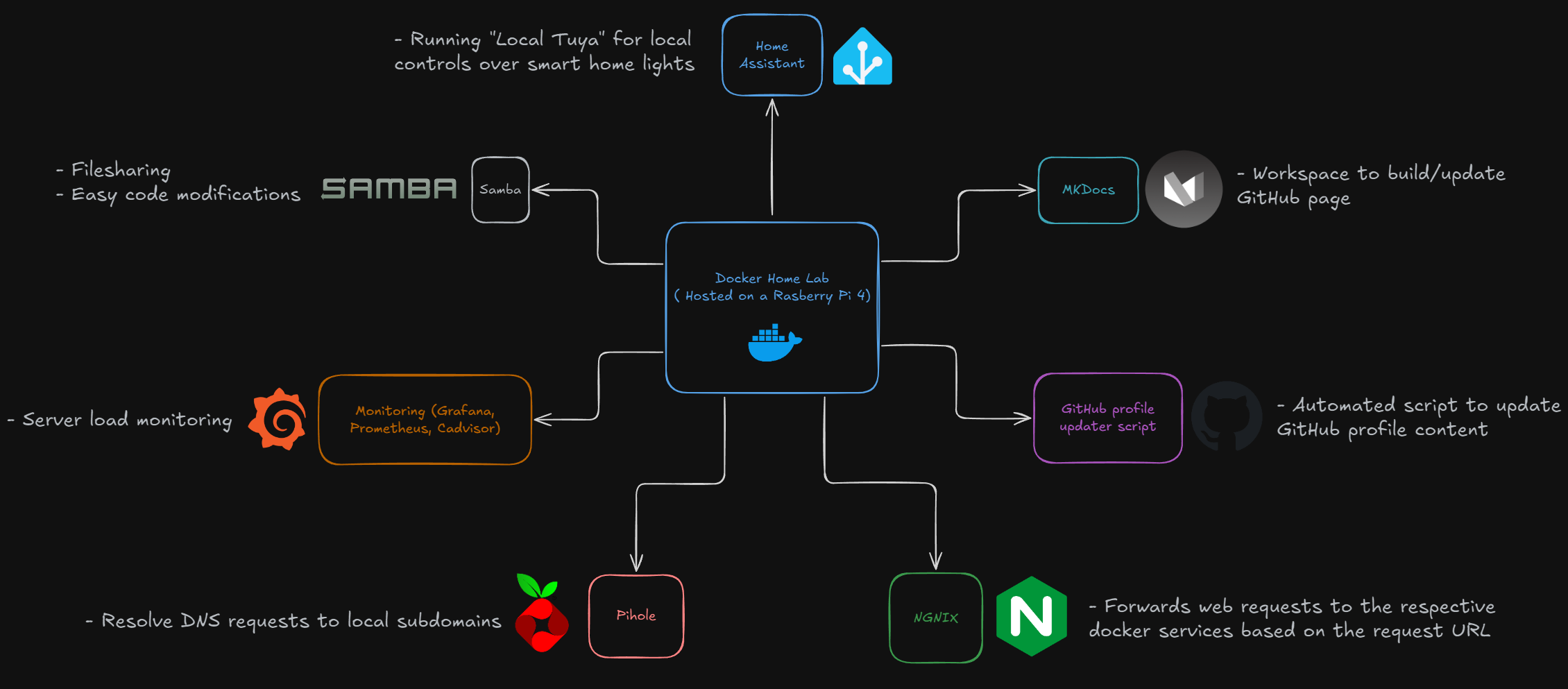
Over the next few months, I gathered a list of purposes I wanted my Home Lab to fufuill:
- Dynamically update my GitHub profile readme.
- Host an isolated environment to build my webpage.
- Control IOTs in my smart home and provide visibility over them.
- Be scalable enough to host future automated scripts and essential docker services.
Eventually, I came out with the following topology:
Tour
Home Assistant
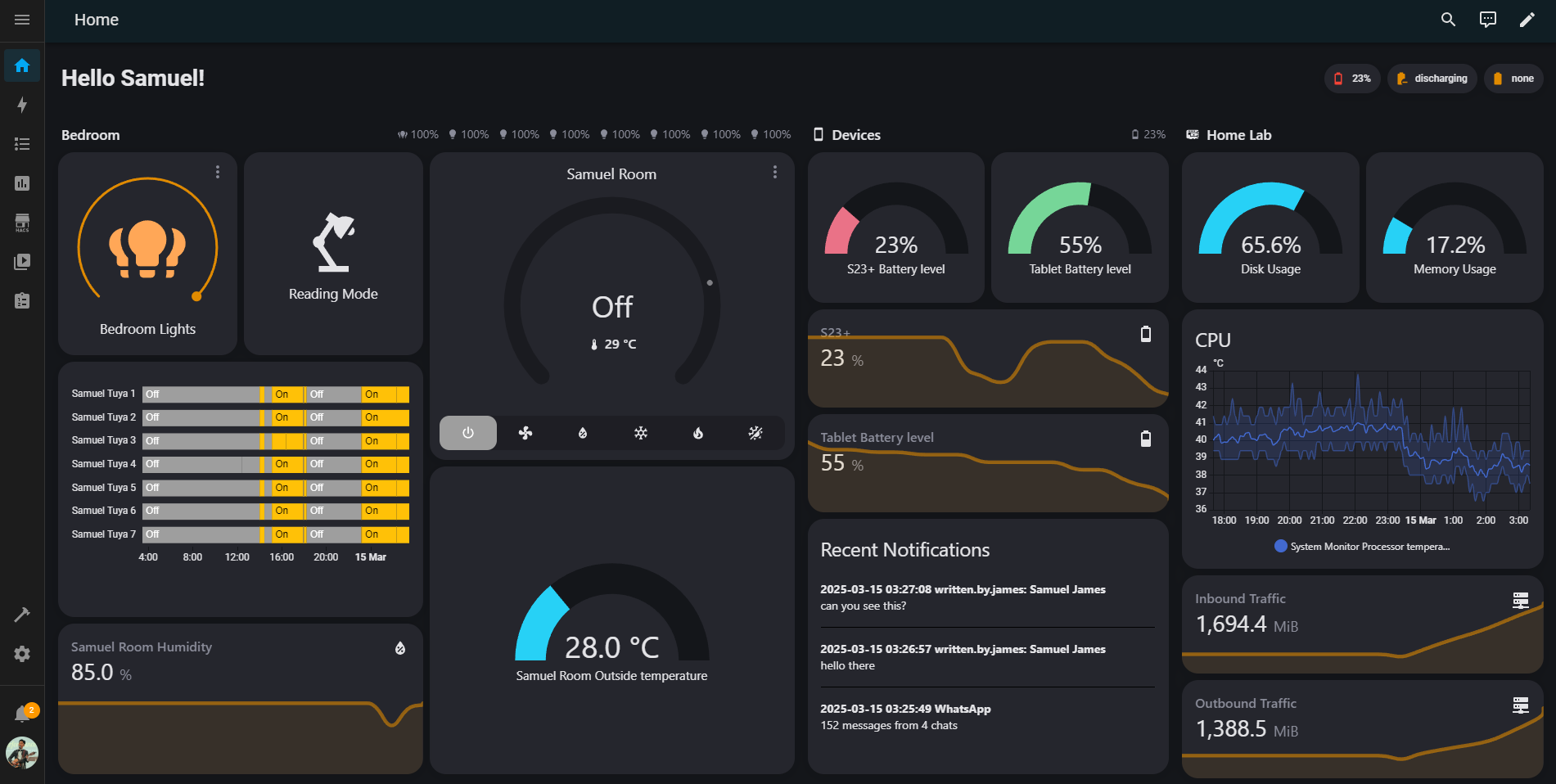 Dashboard on my Home Assistant
I am also running the Local Tuya integration to control my smart lights locally rather communicating with them through the internet. I have also integrated the Daikin aircon controls, and Home Assistant sensors integration on my phone and tablet to see their battery levels and push notifications. I also have statistics displayed for my home lab to have a quick glance on its load performance.
Monitoring with Grafana
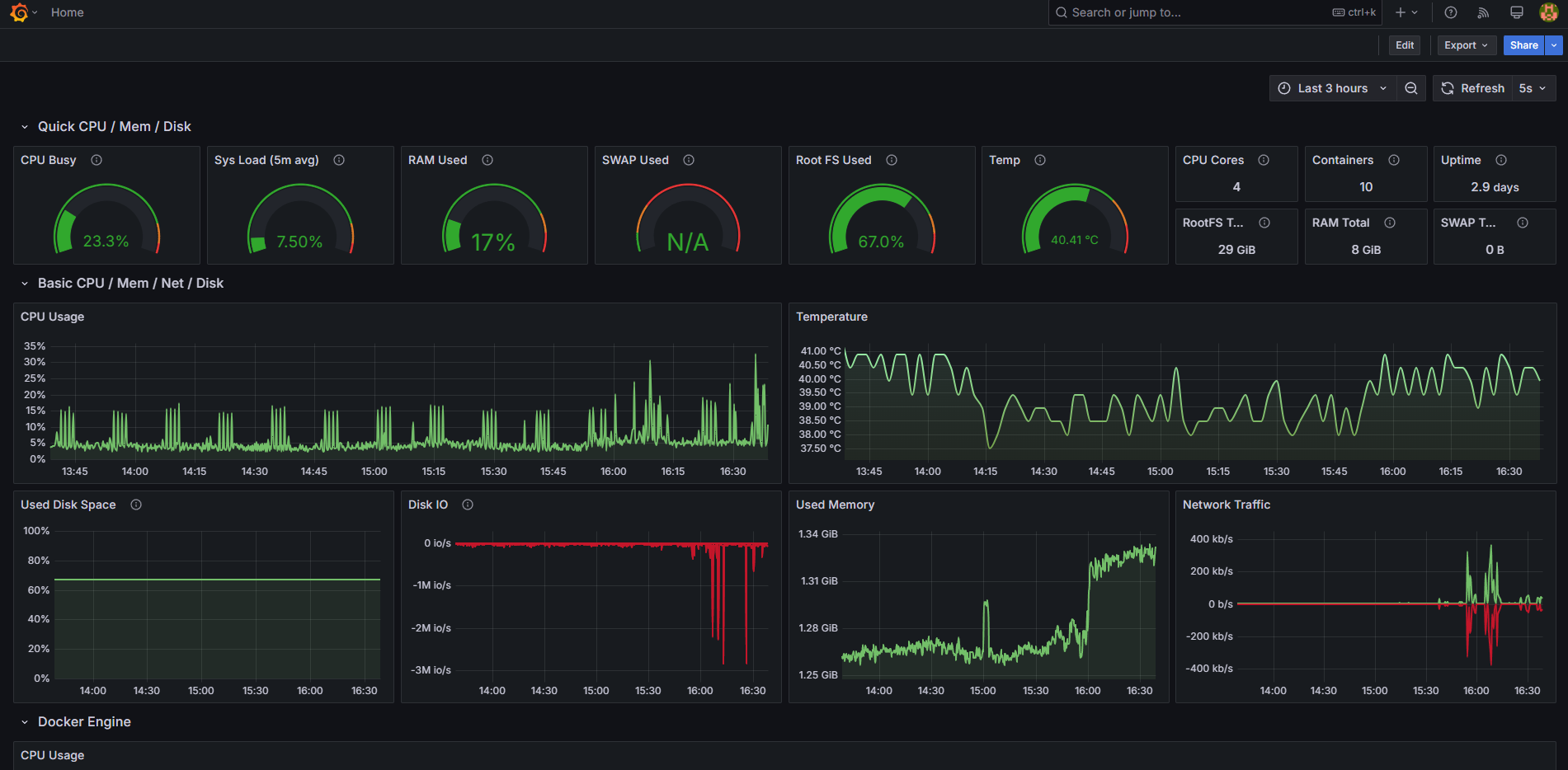 Hosted using Oijkn's load monitoring project on GitHub
This Grafana dashboard hosted in Docker allows me to have an in-depth view of the server load of my Home Lab.
Pihole
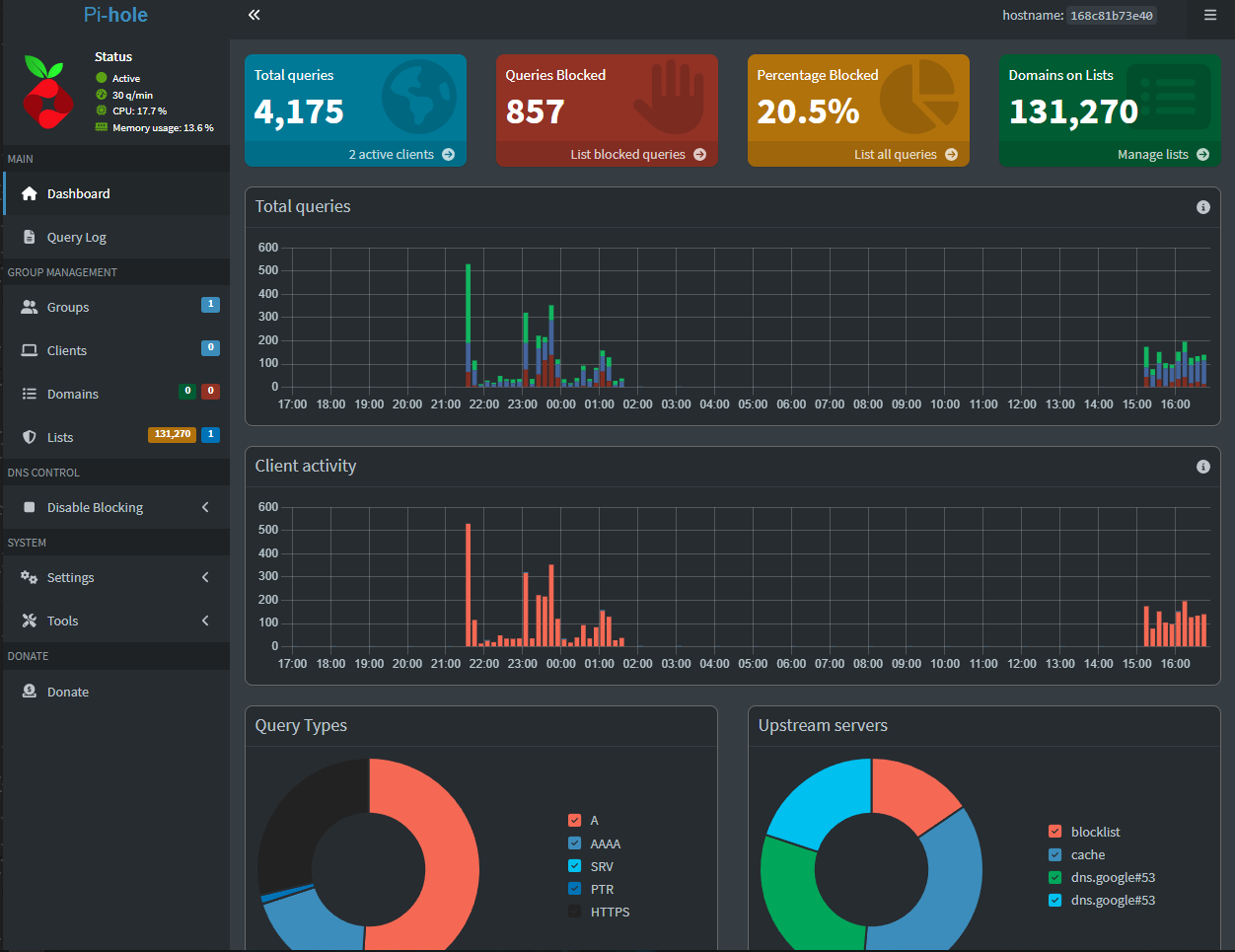 Dashboard on my Pihole instance
I hardly utilise the dashboard since Pihole is mainly used to handle the DNS requests pointing to services on my home lab.